Welcome to Snap Pro Camera
Your iPhone just became a pro camera. Full manual control, RAW capture, long exposure and one-tap color grading — all in one app.
Quick start
Your first pro shot in 3 steps
No learning curve. Start in Auto, then take over whenever you're ready.
Pick a mode
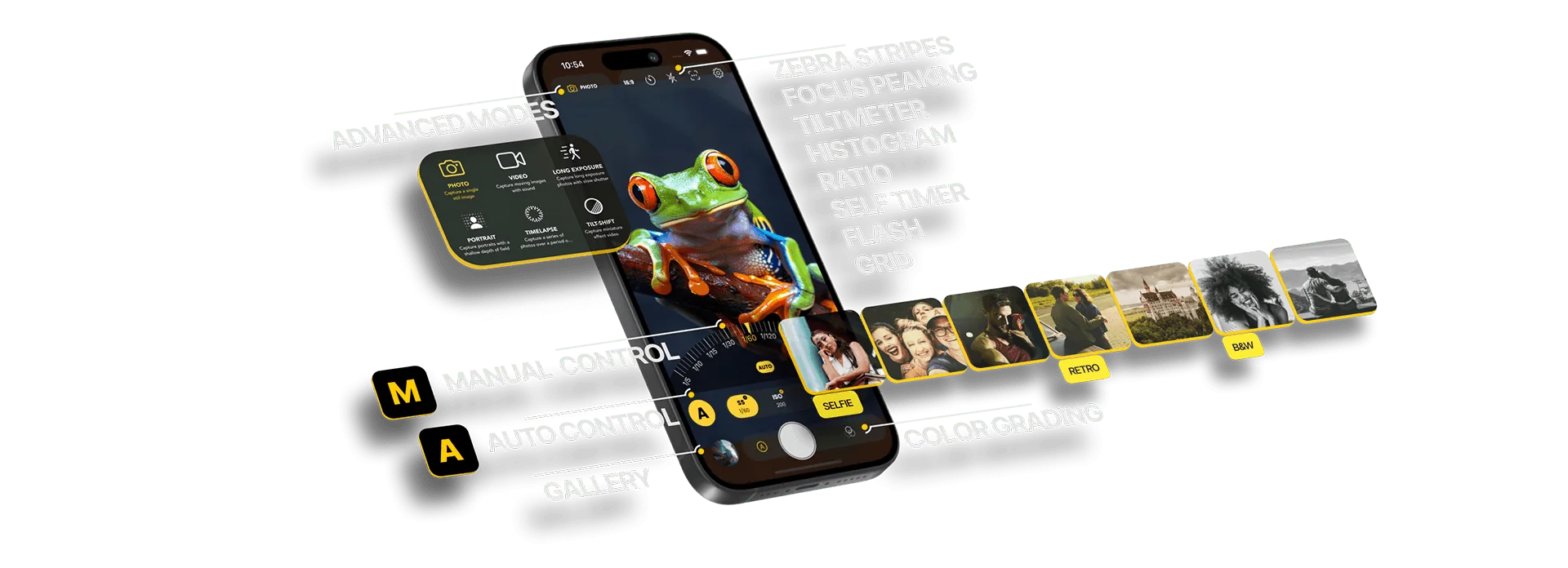
Swipe through Photo, Video, Long Exposure, Portrait, Timelapse and Tilt-Shift.
Switch to Manual
Tap M to dial in ISO, shutter speed, white balance and focus yourself.
Add a look
Apply instant color grading — Retro, B&W, Cinematic and more — before or after you shoot.
What's inside
Everything a pro camera needs
Built for photographers who want control without the complexity.
Advanced Manual Control
ISO, shutter speed, white balance and focus — fully in your hands.
RAW & ProRAW
Shoot in ProRAW, RAW, JPG or TIFF for maximum editing flexibility.
Long Exposure
Motion blur, light trails, low light and crowd removal in a tap.
Instant Color Grading
One-tap cinematic, film-like looks for photos and videos.
AI Portrait Mode
Beautiful, natural bokeh that makes your subject stand out.
Pro Tools
Histogram, focus peaking, zebra stripes, grid and tiltmeter.
Pro tips
Get more out of every shot
Turn on focus peaking
Highlighted edges show exactly what's sharp — perfect for manual focus.
Watch the zebra stripes
Stripes mark blown highlights. Lower the shutter speed or ISO until they disappear.
Shoot RAW for editing
RAW keeps more detail in shadows and highlights for the built-in editor.
Use a stable surface
For light trails and long exposures, rest your iPhone or use a tripod.
Ready to capture like a pro?
Open Snap Pro Camera and take your first shot. Share it with us using #snapprocamera.